From a specialty to the provider you call first
Each view starts from a question your team already asks, not from an empty table.
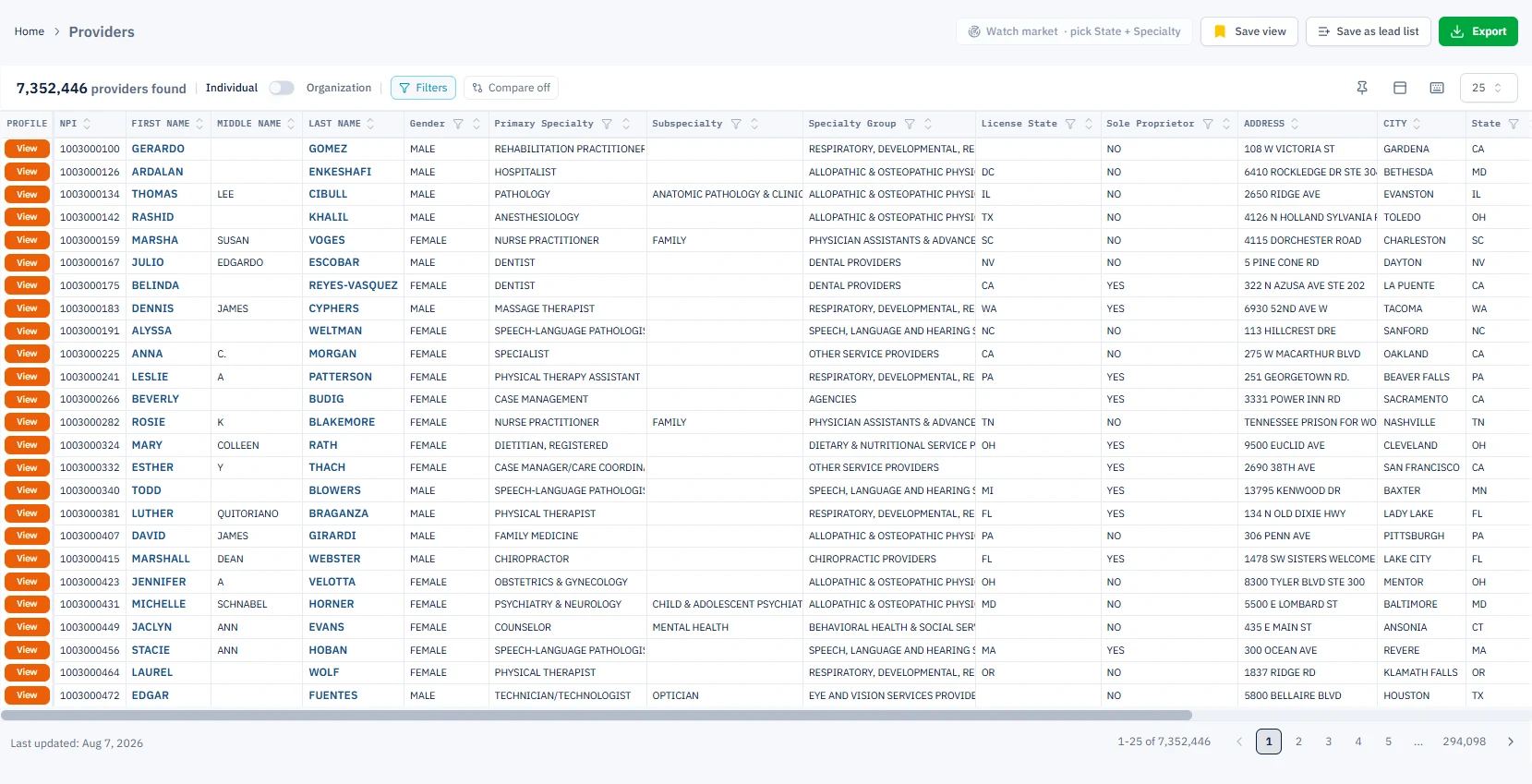
Start from the whole market, then narrow it
One table of individual and organizational providers from the NPI Registry. Pick a specialty and a state, save the view, and turn it into a lead list in one click.
Four steps from a specialty to a worked list
Each step uses public CMS data, so you can trace every number back to the file it came from.
Know a provider before the first call
Every provider opens into one profile page. Where CMS reports Medicare activity, you see it next to the registry record.
- Part B procedures and Part D prescriptions
- Patient conditions and Medicare payments
- Industry payments from CMS Open Payments
- Similar providers and practice contact details
- Export the full profile to Excel
Work the list as a team
Save providers from a search or a profile into a lead list, then move each one through your pipeline until it is won or lost.
- Statuses: Open, Contacted, Working, Won, Lost
- An owner, notes and a follow-up date on every lead
- Log calls, emails and meetings
Already have a list? Match it to the registry
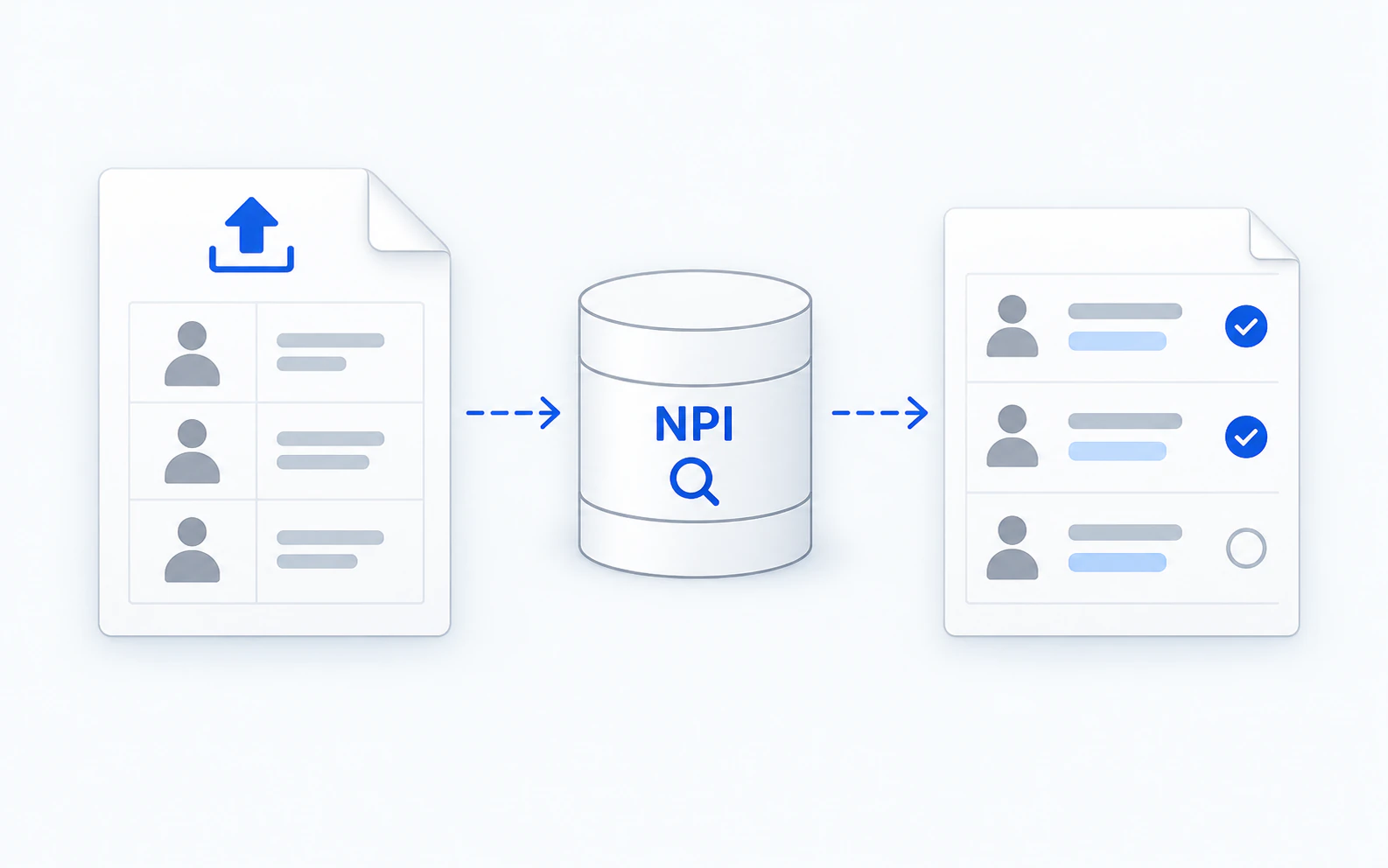
Upload a spreadsheet of clinicians. QOPE finds each person's NPI in the CMS NPI Registry, matches the clear cases automatically, asks you about the rest, and saves the result as a lead list.
- CSV, TSV or Excel, or paste rows
- Up to 500 rows per run
- Included with Pro and Teams
Hand it to your CRM in the format it expects
Export a lead list with every QOPE field, or in the columns HubSpot and Salesforce import. Export a single provider's full profile to Excel.
- All QOPE fields, HubSpot contacts or Salesforce leads (CSV)
- Full provider profile to Excel, with presets
Built on public CMS files
No scraped contact lists. Every field comes from a public federal source, with the source named on the page.
Providers
CMS NPPES NPI RegistryEvery individual and organizational provider: specialty and taxonomy, license state, practice address and phone.
All plansProvider summaries
CMS Part D Prescribers and Physician and Other PractitionersPer-provider Medicare totals: Part D claims and drug cost, Part B services and payments, patient condition mix.
Pro and TeamsProvider services
CMS Physician and Other Practitioners by ServiceMedicare Part B procedures by HCPCS code, with services, beneficiaries and payments.
Pro and TeamsProvider drugs
CMS Part D Prescribers by DrugWhich drugs each provider prescribes under Medicare Part D, with claims, day supply and cost.
Pro and TeamsBuilt for teams that sell to, hire or study providers
Build territory lists
Find the specialists in your states, check who treats the patients your product serves, and hand reps a list with owners and follow-ups.
Source by specialty and location
Search providers by specialty, subspecialty and license state, then track every candidate from Open to Won.
See who prescribes and who consults
Part D prescribing next to industry payments from CMS Open Payments for every provider.
Size a provider market
Count providers by specialty and state, and see the Medicare procedure and prescribing volumes behind them.
Common questions
How is this different from the free NPI Registry?+
The NPI Registry shows one record at a time. QOPE puts every record in one searchable table, adds Medicare procedures, prescribing and industry payments to each provider, and lets you save, track and export lists.
Where does the data come from?+
From the CMS NPPES NPI Registry, the CMS Medicare Part B and Part D provider files, and CMS Open Payments. Each table shows its source and the date it was last refreshed.
Do you include email addresses?+
No. Contact details are the practice address and phone number published in the NPI Registry.
How much can I export?+
Up to 1,000 rows per export. Regular includes 100 exports a month; Pro and Teams have no monthly export limit. Lead lists export as HubSpot or Salesforce CSV.
Is there a trial?+
Yes. Regular and Pro start with a 14-day trial. Sign up yourself, no sales call needed.
Pick a specialty and a state. See who is there in your first five minutes.
Medicare provider tables and NPI Match are on Pro and Teams. Lower prices on annual plans.